What counts as a professional email address
An address at a domain you own: jess@jessmoreno.com, hello@jessmoreno.com, bookings@jessmoreno.com. Not a free address, however tidy: jessmoreno.business@gmail.com still tells everyone it’s a free account. The domain is the part people notice. (Jess Moreno is an example name.)
Why it matters for a personal brand
- First impressions. Brands, agencies, clients and venues get a lot of email. An address at your own domain reads as established; a free address reads as a side project, and some inboxes give it less attention.
- It matches everything else. Your site at yourname.com, your email at yourname.com, your signature and business card pointing at the same place.
- It’s portable. The address belongs to your domain, not to an email company. Change provider later and your address stays the same.
- Room to grow. Add bookings@, press@ or an address for an assistant later, all at the same domain.
Choosing the address
| Address | Good for |
|---|---|
| firstname@yourname.com | Most personal brands: short, personal, easy to say |
| hello@yourname.com | A friendly general inbox, especially on your website |
| first.last@yourname.com | Consultants and anyone who wants the full name in every address |
| bookings@ or collabs@ | A separate address for brand deals and bookings, so they never get lost |
| press@ | Journalists and podcasts |
Avoid numbers, underscores and anything you’d have to spell out. Say it out loud once: if you have to explain it, simplify it.
Step one: a domain
The address hangs off your domain, so that comes first. Your full name as a .com is best; how to choose a domain name covers what to do when it’s taken, and the domain name ideas tool checks the options and suggests addresses to match. A .com typically costs around $10 to $20 a year.
Step two: an email service
The domain doesn’t send or receive mail on its own. You need a service that runs the mailbox. The common choices:
| Service | Typical cost | Good to know |
|---|---|---|
| Bounley Premium | Part of Premium (invitation-only in beta) | Domain, email and website set up together; the inbox is inside Bounley with your signature on every email; records put in for you on a domain from Bounley |
| Google Workspace | From around $7 per user a month | The Gmail app and inbox you know, at your own domain, plus Google Drive and Meet. The only way to keep sending as your domain from Gmail after January 2027 |
| Microsoft 365 Business Basic | From around $7 per user a month | Outlook at your own domain, plus Teams and OneDrive |
| Zoho Mail | A limited free plan; paid plans from about $1 per user a month | The free plan has restrictions (such as web and Zoho’s own apps only) and isn’t offered everywhere |
| iCloud+ custom email domain | Included with any paid iCloud+ plan | Good if you already pay for iCloud+ and use Apple devices; needs two-factor authentication and an iCloud Mail address |
| Your domain registrar | Sometimes included, often an add-on | Some registrars include forwarding only, which passes mail to another inbox but can’t send as your domain on its own |
Prices are typical starting prices at the time of writing and change; check each provider’s own site.
The records that make it work
Whatever service you choose, your domain needs a few DNS records so mail reaches you and the mail you send is trusted. If you’ve never touched DNS, this is the part that trips people up.
| Record | What it does |
|---|---|
| MX | Tells the world which service receives mail for your domain. Without it, nobody can email you. |
| SPF (a TXT record) | Lists the services allowed to send mail as your domain. |
| DKIM (TXT or CNAME records) | Signs every email you send, so receivers can check it really came from you and wasn’t changed. |
| DMARC (a TXT record at _dmarc) | Tells receivers what to do with mail that fails those checks. Gmail and Yahoo expect it from senders, and mail without it is more likely to be filtered. |
Your email service shows you the exact values to copy. You paste them into the DNS settings wherever your domain is managed (your registrar, or a service like Cloudflare), then wait for the service to confirm it can see them; that can take minutes or a few hours.
Setting it up yourself, step by step
- Buy the domain from a registrar and turn on auto-renew and WHOIS privacy.
- Sign up for an email service and add your domain to it.
- Prove you own the domain, usually with a TXT record the service gives you.
- Add the MX, SPF, DKIM and DMARC records exactly as the service shows them, replacing any old MX records.
- Create your address and sign in on your phone and computer.
- Send a test to a Gmail and an Outlook address, check it lands in the inbox, and reply from them to check you receive.
- Add a signature with your name, what you do and a link to your site.
Setting it up with Bounley
- Claim your name and your site goes live at bounley.me/yourname.
- Add your domain: get one through Bounley, or connect one you already own. Bounley names the company that runs your DNS and shows exactly what to add there.
- Turn on email. On a domain from Bounley every record is put in for you. Bounley checks the records (including DMARC) before your domain sends, and warms new domains up gradually so your first emails reach inboxes.
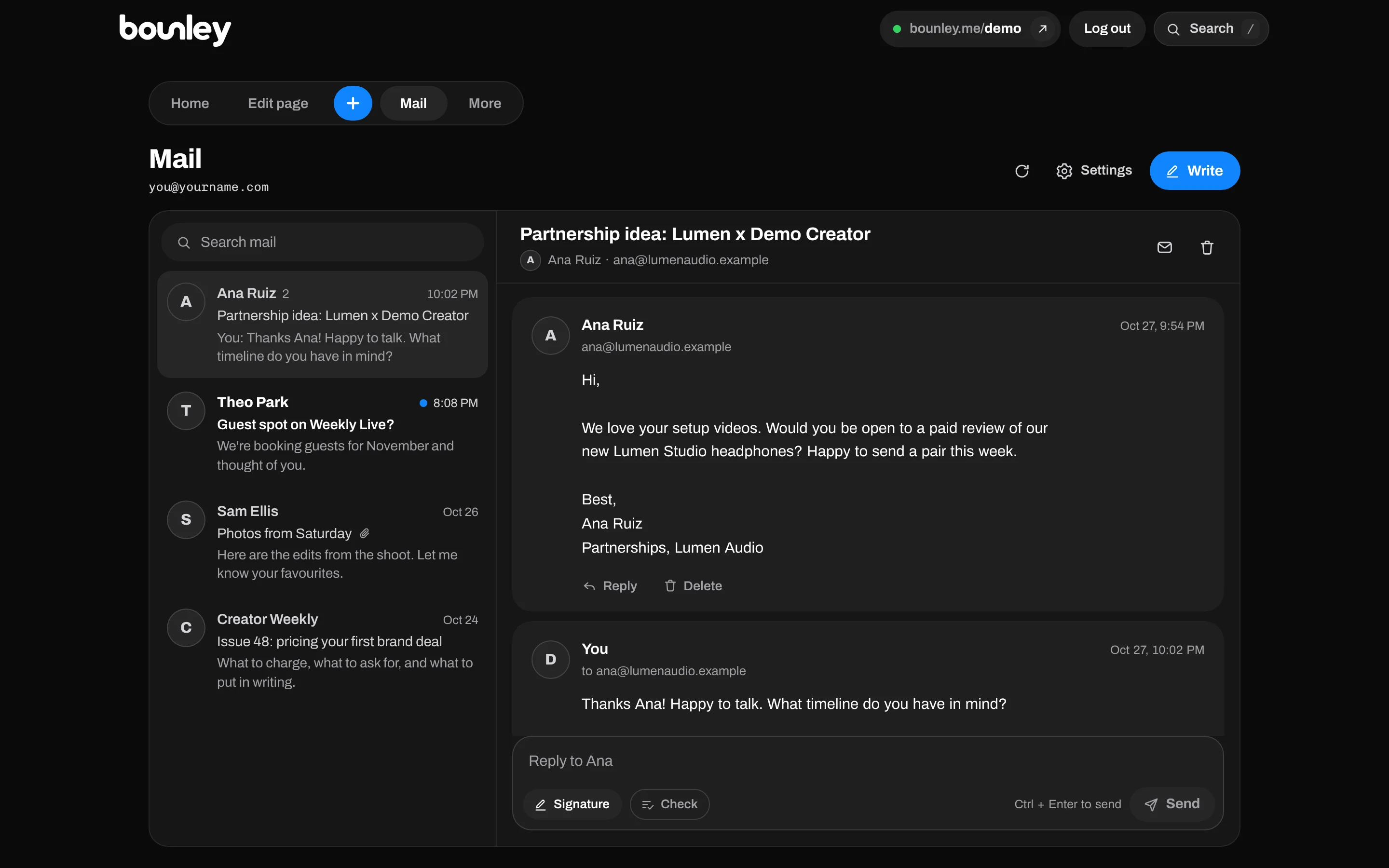
- Read and send from your dashboard, with your signature already on every email and your site on the same domain.
Your own domain and email come with Bounley Premium, which is invitation-only during the beta. How it works.
Getting into inboxes, not spam
- All four records, set correctly. MX, SPF, DKIM and DMARC. This is the biggest single factor.
- Start gently. A brand-new domain that suddenly sends hundreds of emails looks like spam. Send normal amounts at first.
- Write to people who expect you. Never buy lists, and don’t mass-email strangers from your main address.
- Keep the signature light. One small photo and a few links. Huge images and a dozen links look like marketing mail.
- Get replies. Conversations tell mail providers your mail is wanted.
Can I keep using Gmail?
With Google Workspace, yes. With a free Gmail account it’s getting harder: Google is removing POP fetching and Gmailify during 2026, and says “Send mail as” for addresses it doesn’t host stops from January 2027, so you could still receive forwarded mail but not reply as your domain. Can you use Gmail with your own domain? explains what still works.
Questions
Can I get a professional email address for free?
Not completely: you need a domain, which costs money every year. Some services have free email plans with limits (Zoho Mail’s free plan, for example), and some registrars include basic forwarding. For an address you can send and receive from reliably, expect a small monthly cost per address on top of the domain.
How much does a professional email address cost?
Typically a domain at around $10 to $20 a year, plus email from about $1 to $8 per address a month depending on the provider and plan. With Bounley, the domain and email come together with Premium.
Should my email be my name or something like hello@?
For a personal brand, your first name at your own domain is the most personal and memorable. Many people also add hello@ or bookings@ as a second address that lands in the same inbox.
Can I move my email to another provider later?
Yes. Because the address belongs to your domain, you can switch providers by changing your DNS records; the address itself stays the same. Copy your old mail across before you switch.
Is a Gmail address unprofessional?
Not unprofessional, but less professional. A clean Gmail with your real name is fine while you’re starting out. Once brands and clients are writing to you, an address at your own domain makes a clearly stronger impression.
Sources
- Google: Email sender guidelines (SPF, DKIM and DMARC for mail to Gmail)
- Yahoo: Sender best practices
- Apple: Use a custom email domain with iCloud Mail
- Google Workspace: plans and pricing
- Google, Gmail Help: Send emails from a different address or alias